What Is Phishing? 9 Warning Signs and What to Do If You Click
It’s late, you’re half-watching TV, and a text says your package can’t be delivered until you confirm your address. Or an email from “your bank” says there’s been a suspicious sign-in and your account will be locked in 24 hours. Messages like these are phishing, and they’re designed to catch you exactly when you’re busy or tired.
The short answer: phishing is a scam where criminals pretend to be a company or person you trust, usually by email or text, to trick you into clicking a link, opening an attachment, or handing over passwords, card numbers or codes. The safest habit is simple: don’t act on the message itself. Go to the company’s app or a website you type in yourself, and check from there. If you already clicked, change your password, turn on two-factor authentication and watch your accounts, as explained below.
What is phishing?
The FTC describes it plainly: scammers use email or text messages to try to steal your passwords, account numbers, or Social Security numbers, and if they get that information, they could get into your email, bank or other accounts. The name comes from “fishing”: the scammer casts out a lure and waits for someone to bite.
It’s one of the most common crimes reported online. In the FBI’s 2025 Internet Crime Report, phishing and spoofing were among the most frequently reported complaints, out of more than one million complaints in total. The FTC also found that email was the most common way people reported being contacted by scammers in 2024, followed by phone calls and text messages.
Phishing usually isn’t the end goal. It’s the first step toward account takeover, payment fraud or identity theft, which is why spotting it early matters so much.
Common types of phishing
| Type | How it reaches you | Typical example |
|---|---|---|
| Email phishing | Mass emails | “Your account is on hold, update your payment details” |
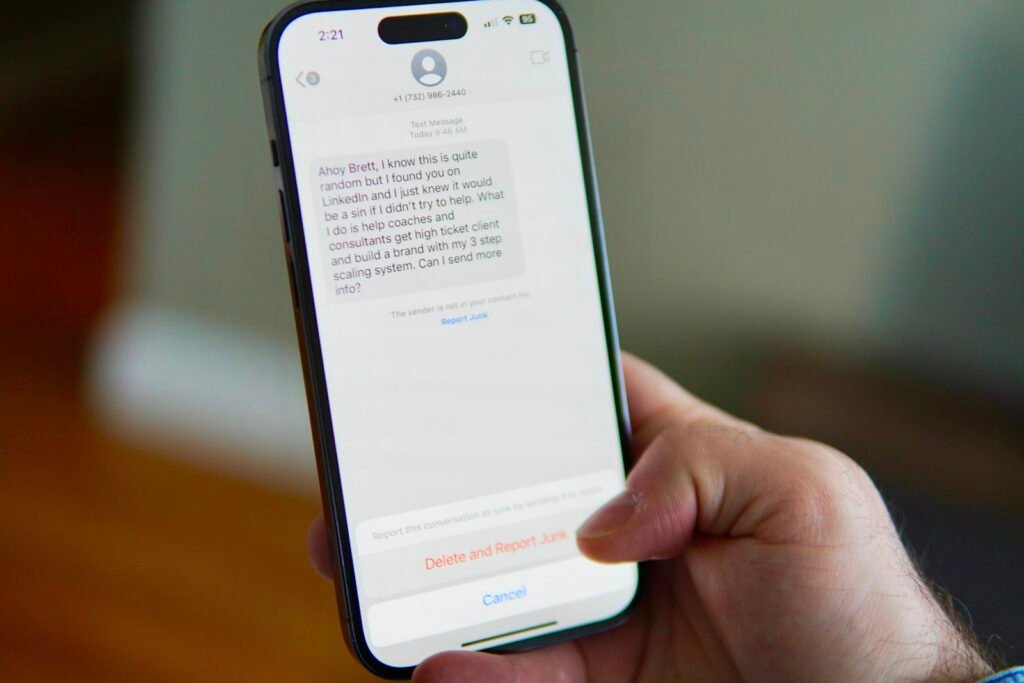
| Smishing | Text messages | Fake package delivery, toll or bank alerts with a link |
| Vishing | Phone calls or voicemail | A “fraud department” asking you to read back a code |
| Spear phishing | Targeted email using your name, job or contacts | A message that seems to come from your manager or a vendor |
| Business email compromise | Email from a hacked or look-alike business account | “Our bank details have changed, please pay this invoice to the new account” |
| QR code phishing | QR codes in emails, flyers or parking meters | A code that opens a fake payment or login page |
| Social media and DM phishing | Messages on Instagram, Facebook, WhatsApp or LinkedIn | A “copyright warning” or a friend’s hacked account sending a link |
Newer scams also use AI. The FBI’s 2025 report included a section on artificial intelligence for the first time, noting scammers’ use of voice clones, fake profiles and convincing videos. That makes the “check through a channel you trust” habit even more important.
9 warning signs of a phishing message
No single sign proves a message is fake, but the more of these you see, the more careful you should be:
- It’s unexpected. You weren’t waiting for a refund, invoice, prize or security alert.
- It creates urgency or fear. “Act within 24 hours,” “your account will be closed,” “suspicious activity detected.”
- It asks for sensitive information. Passwords, one-time codes, card numbers or your Social Security number. Real companies don’t ask for these by email or text.
- The sender’s address doesn’t match. The display name says “Apple Support,” but the actual address is a random domain.
- The link goes somewhere odd. On a computer, hover over it to see the real destination; on a phone, press and hold. Look for misspellings or extra words in the domain.
- It has a generic greeting. “Dear customer” instead of your name, which the FTC lists as a common sign.
- There’s an attachment you didn’t ask for, especially an invoice, a ZIP file or a document that asks you to “enable content.”
- It asks you to pay in an unusual way, such as gift cards, cryptocurrency or a wire transfer to a new account.
- Something just feels off. Odd wording, a logo that looks slightly wrong, or a request that doesn’t fit how the company normally contacts you.
The FTC suggests one simple test: ask yourself whether you actually have an account with that company or know the person who contacted you. If not, it’s likely phishing. If you do, contact them using a phone number or website you know is real, not the details in the message.
How to protect yourself from phishing
Good habits help, but the strongest protection comes from making stolen passwords less useful. Here’s what makes the biggest difference:
- Turn on multi-factor authentication. The FTC recommends it because it makes it harder for scammers to get into your accounts even if they have your username and password.
- Use passkeys where you can. The FIDO Alliance, which develops the passkey standard, describes passkeys as phishing resistant and secure by design: there’s no password for a fake login page to steal.
- Use a password manager. It fills in your password only on the real site, so it quietly refuses to autofill on a look-alike page. See our password manager guide for options.
- Keep software updated. Set your phone, computer and browser to update automatically, as the FTC advises.
- Back up your data, so a malicious attachment can’t hold your files hostage.
- Go to the source. Open the bank, delivery or streaming app directly instead of tapping links in messages.
CISA, the US cybersecurity agency, sums up its advice in three steps: recognize, resist and delete. It also makes a point worth remembering: poor spelling used to be a giveaway, but with AI some phishing emails now have perfect grammar, so look for the other signs instead.

What to do if you clicked a phishing link
It happens to careful people too, so please don’t be hard on yourself. What matters is acting quickly:
- If you entered a password, change it right away on the real site, plus anywhere else you used the same one. Turn on two-factor authentication.
- If you entered card or bank details, call your bank or card issuer using the number on your card and ask them to block or replace it.
- If you shared your Social Security number, go to IdentityTheft.gov for a step-by-step plan and consider a free credit freeze at all three bureaus.
- If you downloaded something, the FTC recommends updating your security software, running a scan and removing anything it flags.
- Check your email settings for forwarding rules or recovery addresses you didn’t add, and sign out of other sessions.
- Watch your accounts for the next few weeks for unfamiliar charges or sign-in alerts.
If you only opened a phishing email but didn’t click or reply, you’re usually fine. Report it and delete it.
How to report phishing in the US and Canada
Reporting takes a minute and helps shut scams down faster.
- Phishing emails (US): forward them to the Anti-Phishing Working Group at reportphishing@apwg.org, and use the “Report phishing” option in Gmail, Outlook or your mail app.
- Phishing texts: forward them to 7726 (SPAM). This works in the US and, as the Government of Canada’s Get Cyber Safe explains, with Canadian carriers too.
- Scams and losses (US): report them to the FTC at ReportFraud.ftc.gov, and to the FBI at ic3.gov if you lost money.
- Scams and losses (Canada): report to the Canadian Anti-Fraud Centre online or at 1-888-495-8501.
- At work: use your company’s “report phishing” button or tell IT right away, even if you already clicked.
For a broader look at other tricks scammers use, read our guide to avoiding online scams.
Frequently asked questions
Can you get hacked just by opening a phishing email?
Rarely. With an up-to-date phone or computer, simply opening an email is generally low risk. The danger comes from clicking links, opening attachments, replying, or entering information.
What is the difference between phishing and spam?
Spam is unwanted bulk mail, often just advertising. Phishing is a deliberate attempt to trick you into giving up information or money, usually by pretending to be someone you trust.
Will my bank ever text me a link to log in?
Banks do send alerts, but the FTC notes that legitimate companies won’t email or text with a link to update your payment information. When in doubt, open your bank’s app directly.
Does a VPN protect me from phishing?
No. A VPN encrypts your connection, but it can’t tell a fake login page from a real one. Passkeys, a password manager and two-factor authentication do much more against phishing.
What should I do if a friend’s account sends me a strange link?
Don’t click it. Contact your friend another way, such as a phone call, and let them know their account may have been taken over.