























New Feature Lets Users Tap to Search Objects in Videos Without Leaving the App
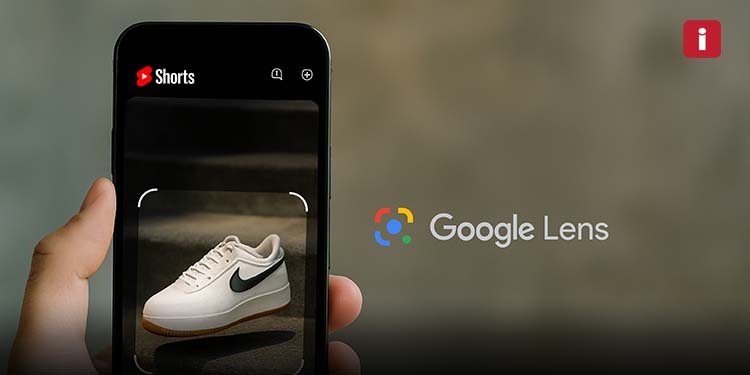
YouTube is bridging the gap between content viewing and instant information with a bold new integration. The platform has started rolling out Google Lens into its YouTube Shorts feature, allowing users to perform real-time visual searches directly within short-form videos. This beta feature blends the power of Google’s visual AI technology with YouTube’s fastest-growing content format.
The update is designed to create a more interactive and informative video-watching experience, and according to Business Standard, it aligns with Google’s broader push toward AI integration across all its consumer-facing products.
What Is Google Lens?
Google Lens is an AI-powered visual search tool that uses your device’s camera to identify objects, text, animals, products, and more in the real world. Traditionally used within Google Photos or the Google Search app, Lens enables users to scan objects and receive search results, translations, shopping links, or similar images almost instantly.
By integrating this technology into YouTube Shorts, Google is now making that experience native to video content allowing viewers to go from watching to learning with just a single tap.
How the Feature Works on YouTube Shorts
- When you pause a YouTube Short on the mobile app, a new “Lens” icon appears in the top-right menu bar.
- Tapping this icon activates Google Lens directly within the app.
- Users can then tap, draw around, or highlight an object of interest within the paused frame.
- Google Lens scans the image and instantly provides relevant search results, such as:
- Product information
- Wikipedia entries
- Similar images
- News articles or reviews
- Maps or location data (for landmarks or places)
The results appear in an overlay format, allowing users to explore information while staying within the YouTube interface.
This real-time, context-aware search is a step toward hyper-personalized content interaction, eliminating the need to exit the app or switch to Google Search.
Use Cases & Applications
The feature opens up a wide range of possibilities:
- Fashion Inspiration: Tap on clothing or accessories to find similar products.
- Tech Curiosity: See a new gadget? Find its brand, specs, or where to buy it.
- Travel Discovery: Tap on a landmark or cityscape to learn more about its history or location.
- Education: Pause a science, art, or DIY Short and search for definitions or deeper explanations.
Essentially, Shorts is transforming from passive entertainment into an active discovery tool.
Privacy Measures & Limitations
YouTube has put certain limits and safeguards in place, especially during this beta rollout:
- No ads will appear in Google Lens results for now.
- Affiliate shopping Shorts are excluded from using Lens to avoid conflicts of interest.
- Google Lens does not perform biometric facial recognition, though it may recognize public figures or celebrities if they’re prominently featured.
These measures aim to maintain transparency, prevent misuse, and provide a non-intrusive user experience as the feature matures.
Why This Matters
The integration of Google Lens into YouTube Shorts marks a significant milestone in the evolution of interactive video content. With Shorts becoming a major battleground in the short-form video space rivaling TikTok and Instagram Reels this feature gives YouTube a unique, searchable advantage.
Unlike other platforms focused purely on entertainment, YouTube continues to blur the lines between content consumption and knowledge acquisition.
Moreover, it reinforces Google’s ecosystem synergy keeping users within the YouTube app while tapping into its powerful AI-driven search engine.
The Road Ahead
Currently available only to a limited number of users, the feature is expected to expand in the coming weeks. Feedback during this beta phase will be crucial in shaping its future rollout, feature set, and possibly integration across longer YouTube videos.
Industry experts suggest this could lead to:
- Product tagging and smarter shopping integration
- Educational deep-dives through YouTube Learning
- Contextual ad placement (once tested responsibly)
With AI becoming more embedded in everyday digital tools, YouTube’s move to combine Shorts and Google Lens highlights a trend toward more intelligent, immersive content consumption.
Try It Out
To experience the feature:
- Make sure your YouTube mobile app is up to date.
- Open a Short, pause it, and look for the Lens icon.
- Tap, select the object, and start exploring.